
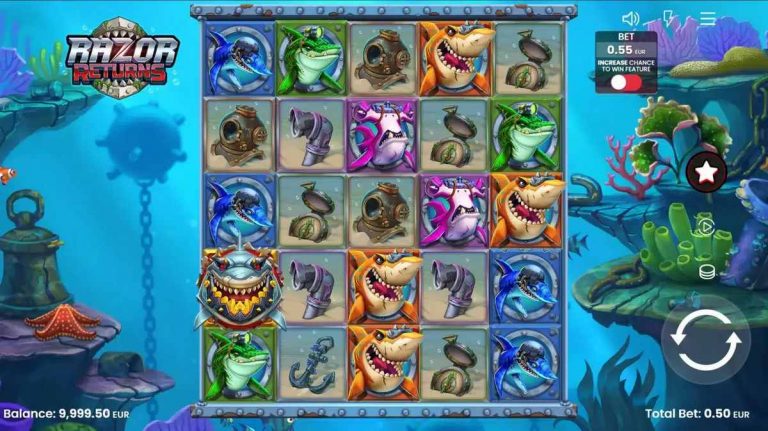
When playing the Razor Returns Slot in the UK, we must take into account the compatibility of browsers and technical requirements. It’s vital to ensure our browsers are current and meet the minimum specifications for a seamless experience. We’ll explore the optimal choices and what to have prepared for ideal gameplay. Let’s take a closer look at how to set ourselves up for success and avoid those frustrating technical issues.
Key Takeaways
- Use latest editions of Google Chrome, Mozilla Firefox, Safari, or Edge for seamless gameplay on Razor Returns Slot.
- Ensure a minimum of 4GB RAM and a contemporary processor for best performance.
- A reliable internet connection with at least 10 Mbps bandwidth is recommended to minimize lag.
- Mobile devices must have updated iOS or Android operating systems for compatibility the game.
- Clear browser cache and turn off ad blockers to fix potential technical problems while playing.
Minimum Technical Specifications for Razor Returns
To fully enjoy Razor Returns, we need to ensure our devices meet certain minimum technical requirements. First, let’s look at the minimum hardware specs. A device with at least 4GB of RAM and a contemporary processor will provide a seamless gaming experience. Additionally, it’s important to have current graphics features, ensuring the vibrant visuals of Razor Returns stand out.
We also can’t ignore the significance of internet speed suggestions. To have a smooth gaming experience, we should aim for a bandwidth of at least 10 Mbps. A reliable connection will reduce lag and improve our overall experience. By ensuring our gadgets meet these criteria, we’ll be ready to immerse ourselves in the thrilling world of Razor Returns without any problems.
Supported Browsers for Best Gameplay
While experiencing Razor Returns, picking the right browser is vital for outstanding gameplay. We want to make certain that our experience is flawless and engaging, which is why utilizing current browser versions is non-negotiable. Well-known browsers like Chrome, Firefox, Safari, and Edge reliably provide excellent gameplay features, improving graphics and loading times. We recommend ensuring these browsers current to prevent bugs that could disrupt our sessions. Additionally, staying informed about any latest browser releases can assist us make the best choices for our gameplay. By selecting the best browser setup, we maximize our experience of Razor Returns, guaranteeing every spin feels seamless and thrilling. Let’s immerse into the action without any glitches!
Mobile Compatibility and Requirements
As we experience Razor Returns on our mobile devices, ensuring compatibility and fulfilling certain requirements is essential for an outstanding experience. Here’s what we need to consider for ideal mobile device optimization:
- Responsive Game Design
- Operating System Requirements
- Stable Internet Connection
Troubleshooting Common Technical Issues
Even when we take all the required steps to improve our mobile experience for Razor Returns, technical issues can still emerge. If we face error messages, they’re often symptoms of deeper problems. First, let’s examine our internet connection. Slow or unstable connections can cause frustrating interruptions. If we’re facing connection issues, restarting our router or changing to a different network may help.
Also, making sure our browser is updated is crucial, as outdated versions can cause errors. Deleting the browser cache and deactivating ad blockers can often fix these glitches. If we still can’t access Razor Returns, reaching out to customer support is the next logical step. They’re equipped to help us fix specific issues successfully.
Tips for Enhancing Your Gaming Experience
How can we build a more pleasurable gaming experience when playing Razor Returns? Here are some tips that can enhance our gameplay!
- Familiarize yourself with the user interface
- Implement effective gaming strategies
- Take breaks to refresh
Conclusion
To summarize, to fully savor Razor Returns Slot, we need to guarantee our browsers and devices meet the advised specifications. Supported browsers like Chrome, Mozilla Firefox, Safari, or Microsoft Edge, along with up-to-date hardware, are crucial for uninterrupted gameplay. Mobile compatibility makes it easy for us to play on the go, and addressing technical issues swiftly can improve our experience. By complying with these guidelines, we can optimize our gaming sessions and have a great time playing!